PixelPhrase ™ Pics & Word Game
MEGARAMATrivia
4.6543.00 Reviews
- Version
- 2.2.3
- Installs
- 100.00K
- Age Rating
- Everyone
Screenshots
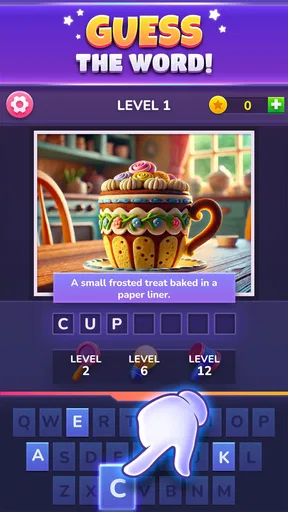
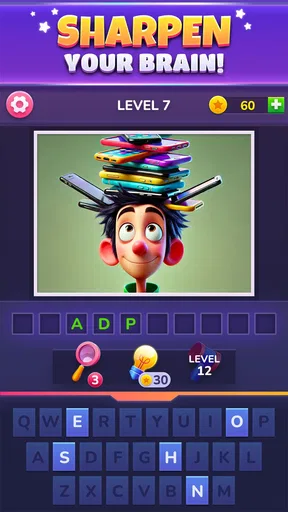
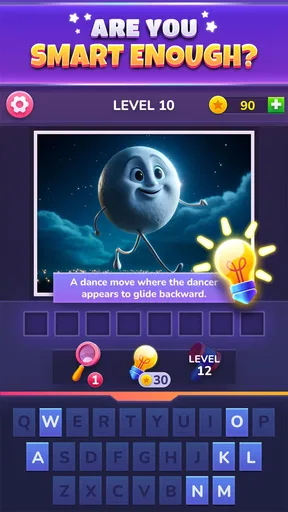
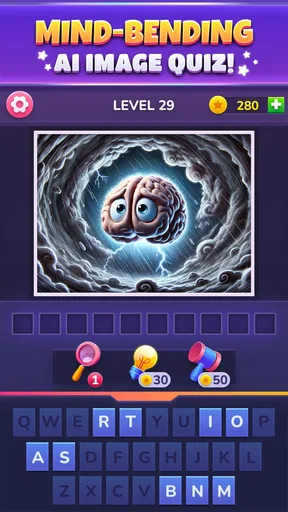
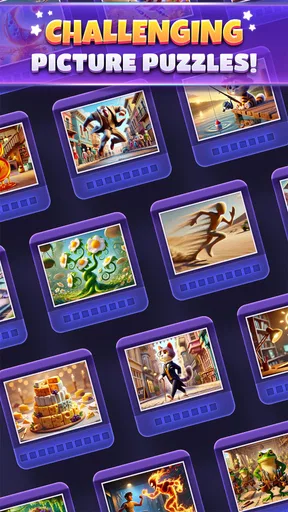
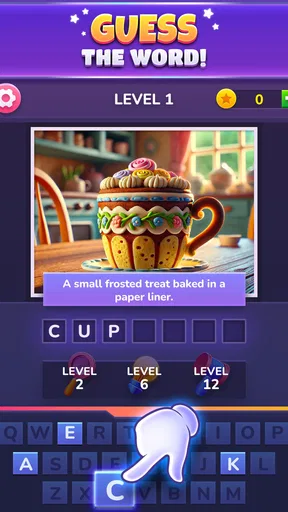
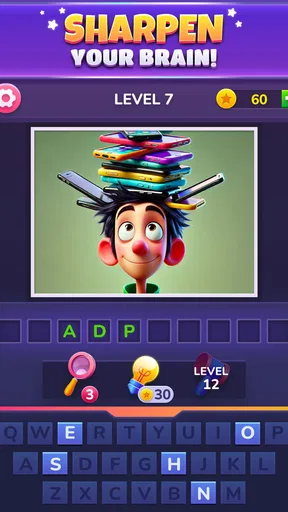
Our Review of PixelPhrase ™ Pics & Word Game
 Analysis by Appyee
I tend to enjoy trivia games most when they give me a small puzzle to chew on without asking me to learn a complicated rule set first. That is the appeal of PixelPhrase ™ Pics & Word Game: its central task is to look at a pixel-style picture and work out the word it suggests. It is a simple premise, but the visual clue makes the answer feel different from solving a plain anagram or filling in a crossword square.
That also makes it a useful choice for short breaks. I can imagine opening it while waiting for a bus or taking a breather between chores, trying a puzzle, then putting my phone away. The main thing to know before installing is that the fun depends on enjoying picture-based word clues. If you prefer trivia built around facts, broad quiz categories, or head-to-head matches, this is a narrower kind of game.
What the purchase details do—and do not—tell you
PixelPhrase is a free trivia game from MEGARAMA, with optional in-app purchases priced from $0.99 to $89.99 per item. That range is worth noticing before you begin: the game can be tried without an upfront price, while purchases are part of its commercial setup. I would treat any spending as optional unless the game itself gives you a reason to choose otherwise, and decide on a personal limit before tapping a purchase button.
The purchase range alone does not explain what each item provides, whether it affects puzzle access, or how much help a player can get without paying. I would not assume that buying something is necessary—or that it creates an advantage—without seeing the specific offer in the game. A sensible approach is to play normally first, read each purchase prompt carefully, and only spend if its purpose is clear to you.
The game is rated for Everyone, so its stated age category is broad, and it has been available since July 26, 2024. Its current version is 2.2.3, and it runs on Android 6.0 or later. Those details help with basic compatibility and suitability checks, but the best test is still whether you like interpreting stylized images rather than answering conventional knowledge questions.
How progress feels, and where friction can appear
The basic loop is easy to grasp: inspect the image, consider the word it might represent, and choose letters from a mixed selection. Early clues ease you in; later ones ask for more interpretation. That gradual increase can make a correct answer satisfying, especially when the picture has led you down the wrong path before the idea clicks.
Picture clues can also be subjective. A pixel image may suggest several related objects or concepts, and a player who identifies the illustration differently from the intended answer can feel stuck for reasons that have little to do with vocabulary. When that happens, I find it helps to describe what is literally visible first, then look for a broader association or phrase rather than locking onto the first object that comes to mind.
Hints are described as limited, so I would save them for a genuine dead end rather than use one after a brief pause. Before spending a hint, try changing your interpretation of the picture, checking the available letters again, and saying possible answers aloud. This small routine keeps the puzzle interesting and makes limited assistance go further. The game also lets players revisit earlier levels, which is handy if you want a more relaxed session or would rather replay familiar clues than push onward while tired.
There is a progress-tracking element, and the original presentation suggests revisiting levels to improve time or accuracy. That can give a puzzle a second purpose beyond simply finding the answer, but it may not appeal to everyone. If you prefer a game that never asks you to optimize, treat replay as optional practice instead of another score to chase.
Does the competitive side change the deal?
Social play is presented through connecting with friends, sharing scores, and leaderboards. These options may give a regular player a reason to compare results, but they are not the core attraction: the central challenge remains interpreting an image and forming a word. If you enjoy a quiet solo puzzle, you can focus on that basic loop; if friendly competition motivates you, shared scores can add a light social goal.
There is not enough purchase detail to judge whether spending changes leaderboard standing, unlocks an advantage, or simply offers convenience. I would therefore keep the distinction clear: a listed purchase price confirms that optional items exist, but it does not establish how competitive fairness works. If ranking matters to you, check what a particular item does before buying and compare results with friends who are playing under similar conditions.
For someone choosing among trivia games, this is a different mood from a general-knowledge quiz that rewards stored facts or a word search that asks you to scan a grid. PixelPhrase puts the image first and makes word association the bridge to the answer. That is a strength when you want to reason from a visual clue, but a limitation if you want a wide rotation of trivia subjects or a clear right answer based on factual knowledge.
When it fits a real day
A realistic use is a short wait with a friend: one person spots a shape in the picture, the other suggests a word, and you test the idea against the available letters. This turns a single puzzle into a small shared activity without requiring a long session. It may also suit someone who likes phone games but wants something more mentally engaging than tapping through a passive feed.
For a commute, the compact puzzle format is appealing, but I would avoid relying on it as a game that always works offline or under every network condition; that is not something the stated details establish. Likewise, if you are looking for a long story, elaborate character progression, or a structured competitive league, this is not the kind of experience its basic premise promises. A traditional quiz app is likely a better match for testing subject knowledge, while a crossword or word puzzle may suit you better if you want language clues without visual ambiguity.
The Concept
Imagine combining the fun of classic word puzzles with vibrant pixel art. That’s precisely what PixelPhrase ™ Pics & Word Game does. The game challenges you to guess words based on images, which are crafted out of pixels, adding a layer of nostalgia and creativity to the mix. Each level presents a picture, and your task is to figure out the word it represents. Sounds simple, right? Well, it can get pretty tricky!
Gameplay Mechanics
The game kicks off with some easy puzzles to get you warmed up. You’re presented with a pixelated image, and you have to guess the word by selecting letters from a jumbled set. As you progress, the images become more complex, and the words more challenging. It’s a satisfying feeling when you finally crack a tough one! The app keeps track of your progress, and you can always revisit past levels to try and improve your time or accuracy.
What I love about the gameplay is how it blends visual and verbal skills. You’re not just staring at letters all day; you’re engaging with art. It’s a refreshing twist on traditional word games, and it keeps you coming back for more.
Visuals and Sound
The pixel art style is both charming and addictive. Each image is crafted with care, and the retro vibe is a sweet throwback to the old-school games many of us grew up with. The colors are vivid, and the attention to detail is impressive, making each level a visual treat.
The sound design complements the visual experience perfectly. The background music is catchy without being distracting, and the sound effects are satisfying, especially when you guess a word correctly. It’s these little touches that make the game feel polished and well-thought-out.
Features and User Experience
One thing I appreciate about this app is its user-friendly design. The interface is clean and intuitive, so you can dive right into the action without a steep learning curve. The developers have done a great job of making sure everything is where you’d expect it to be, which is always a plus.
The game also includes some neat features that enhance the experience. There are daily challenges that keep things fresh and give you a reason to check in every day. Plus, if you ever get stuck, there are hints available to nudge you in the right direction. But be warned—those hints are limited, so use them wisely!
Community and Updates
Engaging with other players is a breeze, thanks to the community feature. You can connect with friends, share your scores, and even compete on leaderboards. It adds a social element to the game that’s both fun and motivating.
The developers are active and seem to genuinely care about user feedback. Regular updates mean new levels and features are always in the pipeline, keeping the game fresh and exciting. It’s nice to see a game where the creators are consistently working to improve the player experience.
Why You Should Try It
If you’re a fan of word games or pixel art—or both—then PixelPhrase ™ Pics & Word Game is a must-try. It’s a delightful blend of challenge and creativity, and it’s perfect for quick sessions or extended play. Whether you’re a casual gamer or a puzzle enthusiast, this app offers something for everyone.
So, grab your phone, download the app, and get ready to embark on a pixelated adventure. Trust me, once you start, it’s hard to stop!
Who is most likely to enjoy it?
I would recommend it first to people who like visual riddles, compact word puzzles, and the satisfaction of spotting a connection that is not immediately obvious. It is also a reasonable pick for sharing a quick challenge with a family member or friend, since the picture gives everyone something concrete to discuss. The broad Everyone age rating makes it suitable to consider for mixed-age play, though individual children may need help with clues that rely on less familiar words or associations.
It is less suited to players who find ambiguity frustrating. If you want every question to have a precise factual answer, a picture-based clue can feel less fair than a conventional trivia prompt. And if your main goal is to compete on equal terms, I would check the game’s purchase prompts and leaderboard context before treating scores as a strict measure of skill.
What I would check before settling in
Because sessions may stretch once a clue gets interesting, it is worth deciding in advance whether you want a quick break or a longer puzzle run. For a short session, stopping after one solved image keeps the game feeling light. If you are trying to improve a previous result, replaying a level can make more sense than using a hint immediately; it gives you another chance to notice a detail you overlooked without turning every difficult clue into a purchase decision.
The store figures offer a useful, limited sense of its reach: PixelPhrase has an average rating of 4.7 from around 2,100 ratings, with over 100,000 installs and 535 written reviews. That suggests a meaningful audience and generally positive reception, though ratings cannot tell me whether the exact clue style will suit your taste. I would use them as background context, not as a substitute for trying the free game yourself.
A measured verdict on spending and trust
My overall view is that the game’s core appeal does not depend on spending: the interesting part is interpreting the pixel picture and testing a word against the letters. The free entry point makes it easy to see whether that loop works for you. The in-app purchase range means it is sensible to pause at checkout and understand the particular item rather than buying out of frustration when a clue has you stumped.
Some details a cautious player might want—such as exactly what each purchase unlocks and how purchases relate to competitive results—are not established by the purchase range itself. I would not fill those gaps with assumptions. For a casual player, that need not be a reason to avoid the game; it is simply a reason to keep purchases deliberate and judge the experience by the puzzles you can actually play.
In the end, I see PixelPhrase as a focused, approachable trivia game rather than an all-purpose quiz platform. Its best moments come when a small image suddenly makes sense, and its main drawback is that visual clues can be subjective while hints are limited. If that trade-off sounds enjoyable, I would give it a try; if you prefer factual quizzes, fixed clue wording, or a clearly defined competitive system, another kind of puzzle game will probably suit you better.
Verdict
Strengths of PixelPhrase ™ Pics & Word Game
- Engaging puzzles with varying difficulty levels.
- Visually appealing and intuitive interface.
- Regular updates with new content.
- Enhances vocabulary and cognitive skills.
- Offline mode available for on-the-go play.
Limitations of PixelPhrase ™ Pics & Word Game
- In-app purchases can become costly.
- Some puzzles may feel repetitive.
- Ads can interrupt gameplay frequently.
- Limited hints can be frustrating for beginners.
- Requires internet for some features.
Other Releases by MEGARAMA
View All
Similar Picks in This Category
View All
Millionaire 2026 Quiz & Trivia
Quiz & Trivia Games by Submarine Apps4.5

Brain Test 2: Tricky Stories
Unico Studio4.7

Trivia Crack: Brain Quiz Games
etermax4.4

QuizzLand. Quiz & Trivia game
Quiz & Trivia Games by Mno Go Apps4.8

Brain Test: Tricky Puzzles
Unico Studio4.7

Logo Quiz
bubble quiz games4.5
Frequently Asked Questions
What is PixelPhrase ™ Pics & Word Game about?
PixelPhrase ™ Pics & Word Game is a unique blend of visual and word puzzles. Players are challenged to decipher phrases or words based on pixelated images. The game combines visual recognition with word association, making it both entertaining and intellectually stimulating. It's designed for players who enjoy a mix of creativity and problem-solving.
How do I play PixelPhrase ™ Pics & Word Game?
To play PixelPhrase ™, you start by examining pixelated images. Your goal is to guess the word or phrase that the image represents. As you progress, the difficulty increases with more complex images and phrases. The game offers hints and power-ups to help when you're stuck, ensuring a fun and engaging experience.
Is PixelPhrase ™ suitable for all ages?
Yes, PixelPhrase ™ is designed to be family-friendly and suitable for all ages. The game offers varying levels of difficulty, making it accessible to younger players while still being challenging for adults. It's a great way for families to enjoy quality time together while enhancing vocabulary and visual skills.
Does PixelPhrase ™ require an internet connection?
PixelPhrase ™ can be played offline, making it a great option for on-the-go entertainment. However, certain features, such as updates or accessing additional content, may require an internet connection. This flexibility allows players to enjoy the game anytime, anywhere, without worrying about connectivity.
Are there in-app purchases in PixelPhrase ™?
Yes, PixelPhrase ™ offers optional in-app purchases. Players can buy hints, power-ups, or additional levels to enhance their gaming experience. While these purchases can help progress faster, they are not necessary to enjoy or complete the game. Players can still have a full experience without spending extra money.
Play our best games!


